

Video Wall vs Single Large Display: Which Is Right for Your Office?
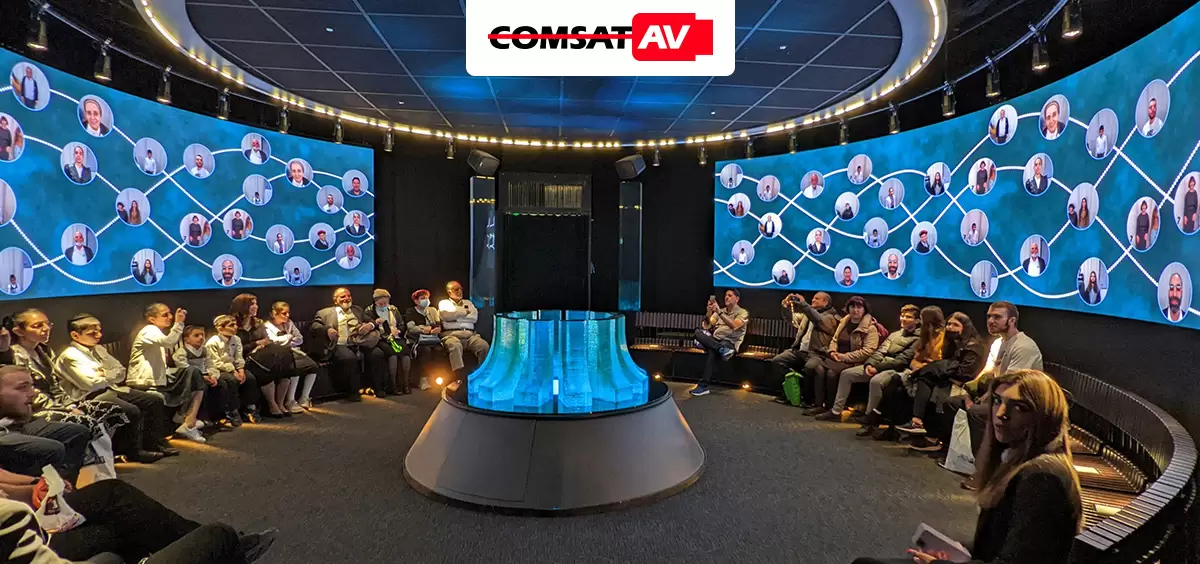
When upgrading your office’s visual communication system, one question often arises: Should you install a video wall or a single large display?
Both offer impressive ways to deliver information, presentations, and branding content — but each has different benefits, costs, and ideal use cases. Understanding these differences will help you make the best choice for your workspace.
1. What’s the Difference?
A video wall is a collection of multiple LED or LCD panels arranged to form one seamless large screen. They can display one image across all panels or multiple streams of content simultaneously.
A single large display, on the other hand, is a standalone screen — typically between 85 and 120 inches — that functions as one integrated unit.
At a glance:
| Feature | Video Wall | Single Large Display |
| Size Flexibility | Modular – scalable to any dimension | Fixed screen size |
| Resolution Options | Extremely high, customizable | Limited to native panel resolution |
| Content Flexibility | Multiple zones or full-screen | Single content source |
| Cost | Higher initial investment | Lower upfront cost |
| Maintenance | Modular servicing | Entire panel replacement |
2. Advantages of a Video Wall
Scalability and Impact
Video walls are ideal for lobbies, command centers, and executive boardrooms where impact matters. Their modular design means you can build nearly any shape or size to fit architectural space.
Content Versatility
They allow multiple content sources — presentations, live data, announcements — to appear simultaneously. This makes them perfect for control rooms, corporate monitoring centers, and branded experiences.
High Brightness and Durability
With direct-view LED technology, video walls maintain brightness and visibility even in well-lit areas, with lifespans exceeding 80,000 hours.
3. Advantages of a Single Large Display
Simplicity and Cost-Effectiveness
Single large displays are plug-and-play solutions. They’re easy to install, maintain, and update — great for meeting rooms, smaller offices, and collaboration spaces.
Clean Aesthetic
A single, frameless display offers a sleek, modern appearance. With ultra-thin bezels and all-in-one mounting systems, they integrate easily into office interiors.
Budget-Friendly Performance
If your goal is straightforward visual communication — such as video conferencing, digital signage, or slide presentations — a single display provides strong ROI with lower complexity.
4. When to Choose a Video Wall
A video wall is your best choice if you need:
- High visual impact for branding or visitor engagement.
- Flexible layouts for multiple content types.
- 24/7 reliability in mission-critical environments.
- Future scalability as your AV needs expand.
These systems excel in corporate lobbies, auditoriums, and operations centers where visual performance and adaptability are key.
5. When to Choose a Single Large Display
Opt for a single large display if you value:
- Ease of use and quick setup.
- Lower cost and minimal maintenance.
- Simplified AV integration with existing systems.
Perfect for huddle rooms, training spaces, and executive offices, large displays deliver quality visuals without over-engineering the solution.
6. The Hybrid Approach: Best of Both Worlds
Some businesses benefit from a hybrid strategy — using video walls in public or high-impact zones, and single displays in meeting areas. This unified design keeps messaging consistent across environments while optimizing investment per space type.
Partner with ComSat AV for the Right Display Solution
Choosing between a video wall and a single display doesn’t have to be difficult. At ComSat AV, our team of AV integration experts evaluates your goals, space, and budget to design a solution that delivers maximum performance and ROI.
💡 Ready to Upgrade Your Office Displays?
Whether you need a custom LED video wall or a professional-grade large display, ComSat AV provides turnkey design, installation, and support.
👉 Schedule a free consultation today to discover which visual solution is right for your office.