
Portable LED Video Walls for Trade Shows: A Booth Planning Guide
A large display can give your trade show booth a clear focal point. It can introduce your product before a conversation starts, support a live demonstration, or keep your brand story visible while your team speaks with visitors. The challenge is choosing a display configuration that fits the booth and the event’s practical requirements.
At ComSat AV, we help you plan a portable LED trade show video wall around your space and presentation goals. The LG LAPA series featured in our service offering includes 136-inch and 163-inch Full HD displays. Here is how to turn that starting point into a useful event brief.
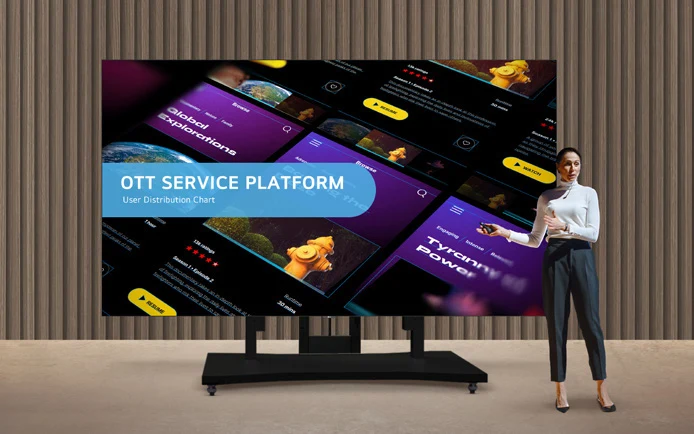
LG product illustration from the LAPA datasheet. Dedicated stand sold separately; actual configuration may vary.
Start with what visitors should understand
Choose one primary job for the screen. A product demonstration needs a clear sequence. A brand introduction needs a short message that a visitor can understand without watching an entire video. A scheduled presentation needs room for both the presenter and the audience.
Write down the action you want someone to take after viewing the display, such as requesting a demonstration or discussing a specific application. This helps your content team prioritize useful information rather than filling the screen with every detail about the business.
Choose a screen that fits the complete booth
The LG LAPA136-GF has a 136-inch display with a screen width and height of approximately 118.3 by 66.6 inches. The 163-inch LAPA163-GF screen measures approximately 141.9 by 79.9 inches. Both have a 1920 × 1080 resolution.
Those measurements describe the screen, not the complete installation. A stand adds to the footprint and overall height. Leave room for staff, visitors, demonstration equipment, and safe circulation. Before selecting the larger model, check whether its complete configuration works within your booth’s permitted dimensions.
Define what “portable” means for your event
A portable event display still requires a transport and installation plan. The listed screen weights are 239.2 pounds for the 136-inch model and 341.7 pounds for the 163-inch model, excluding a complete stand or transport package. This is not equipment to plan around assumptions about one-person handling.
LG lists dedicated stands as optional accessories sold separately. Ask for confirmation of the exact stand, transport equipment, handling arrangements, and installation scope in your quote. If you plan to use the display at multiple events, describe that intended use before the configuration is selected.
Match your content source to the presentation
The LAPA series includes an embedded webOS controller and built-in speakers, with HDMI and DisplayPort inputs for external sources. If you will present from a laptop, identify the laptop’s outputs and confirm the required adapters and cable routing.
Do not assume wireless presentation is included. LG One:Quick Share is an optional accessory purchased separately. For a busy exhibition floor, make the main visual message understandable without depending on audio, and check the organizer’s sound rules before planning speaker use.
Confirm venue requirements before committing
- Check booth height limits, stand placement rules, and required clearances.
- Confirm delivery access, loading arrangements, and the route to your booth.
- Request electrical guidance for the complete system. Listed maximum display power consumption is 1300 W for the 136-inch model and 2000 W for the 163-inch model.
- Ask who is responsible for installation, testing, and any venue-required labor.
- Prepare the actual presentation files and test the intended playback workflow before the event.
Product specifications reference the LG LAPA information supplied on our service page and are subject to change. Confirm the selected equipment and event arrangements in your project-specific quote.
Plan your display with ComSat AV
Send us your event dates, location, booth dimensions, and the content you want to show. We can discuss LG LAPA screen options and the stand, access, and installation requirements for your space. Request a free consultation with ComSat AV or call (866) 348-1970.